


Colors & Shapes: Coloring game
4.5579.00 Reviews
App Specs
- Version
- Varies with Device
- Updated On
- License
- Free
- Downloads
- 10,000,000+
- Developer
- RV AppStudios
- Categories
- Educational
- Platform
- Android
Screenshots
 Analysis by AppCompare
I found Colors & Shapes: Coloring game most useful as a short, guided activity rather than as a game children are expected to play for long sessions. It is an educational coloring game from RV AppStudios that combines basic color and shape learning with several playful modes. The idea is simple, but that simplicity is exactly why it can work well for a young child who is still learning to recognize visual differences.
After spending time with it, my impression is that the app is at its best when an adult treats it as a small part of a child’s routine: a few minutes after breakfast, a quiet activity while traveling, or a gentle way to reinforce a lesson already introduced at home. It feels approachable for children, and the Everyone rating fits its broad audience. At the same time, parents should understand what kind of experience this is. It is not a deep puzzle game, a full art studio, or a structured school curriculum. Its value comes from repetition, recognition, and the satisfaction of completing simple coloring tasks.
What the first sessions are really trying to teach
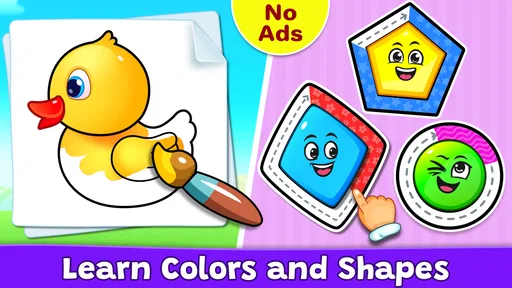
The early goal is not to master a complicated rule set. A child is mainly being encouraged to notice colors, identify shapes, and connect those ideas with an action on the screen. That makes the opening experience easy to understand even for children who are not confident readers. The visual subject does most of the explaining, so a child can begin exploring with limited help.
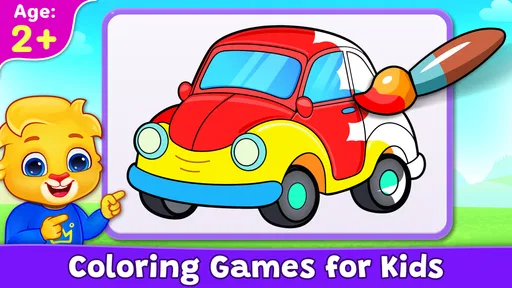
I think this matters because many educational games introduce too many instructions before the child has done anything enjoyable. Here, the coloring activity gives an immediate reason to interact. A child can see a picture, choose or follow a color, and watch the image become more complete. That small loop creates an early sense of purpose without making the session feel like a test.
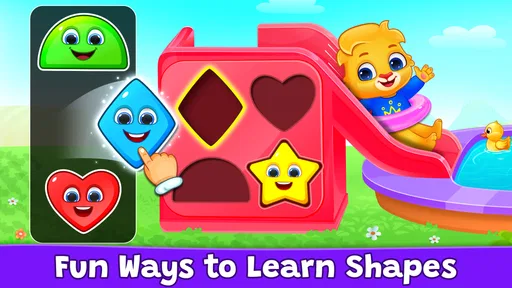
The app’s focus on colors and shapes for kids also gives parents a practical way to turn play into conversation. Instead of simply handing over the device, I would ask questions such as “Which shape are you coloring?” or “Can you find another object with the same color?” The app supplies the visual prompt, while the adult adds the language and real-world connection that a screen alone cannot provide.
For a preschool child, that shared approach is stronger than passive watching. The child has to look, choose, and respond. Even when the task is easy, those small decisions can help reinforce recognition. I would not use it as the only way to teach colors or shapes, but it can support hands-on activities such as sorting blocks, drawing with crayons, or finding shapes around the house.
Why the simple start works for young children
The opening pace is friendly to children who may become frustrated by mistakes. Coloring is familiar, and the subject matter does not require advanced reading. That reduces the barrier to entry compared with educational games built around written questions or timed answers. A child who is still learning letters can still understand the basic visual invitation to participate.
Worth Reading Before You Choose

EA SPORTS FC Mobile 26 Is a Bigger Football Game, but It Takes Time

Flipboard Shows What News Apps Must Do Beyond the Feed

Switching to Android Auto Means Rethinking Your Driving Routine

Google Calendar Makes a Crowded Week Easier to Manage

Ludo King Makes the Most of the Minutes Between Plans

Baby Panda World Brings Quick Play to Modern Phones, but Its Game Library Feels Busy
There is also a useful emotional benefit. Coloring usually feels creative, even when the app is quietly reinforcing recognition skills. That can make practice feel less like homework. In my view, this is one of the app’s strongest design choices: it uses an activity children already understand instead of forcing learning into a formal quiz format.
Parents should still stay nearby during the first session. Young children may understand the coloring action but not the purpose of every mode immediately. A short demonstration is often enough. Once the child recognizes the pattern, the adult can step back and let the child work independently for a while.
How progress feels without turning play into pressure
The app gives children progress signals through completion. A picture becoming finished is more meaningful to a young player than a complicated score screen would be. That visible result answers the child’s most important question: “Did I do it?” When the scene is complete, the child can see the outcome of the effort immediately.
I prefer this kind of feedback for early learning because it keeps attention on the task. A score can make children compare themselves with others or worry about getting an answer wrong. Completion, by contrast, supports persistence without making the activity feel competitive. For a child who is still developing confidence, that is a sensible balance.
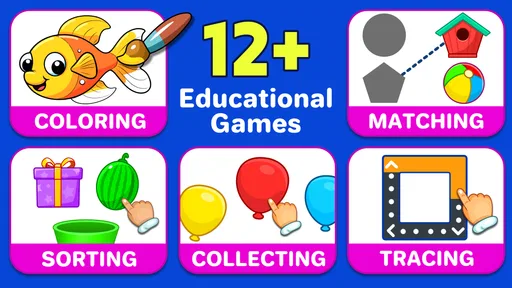
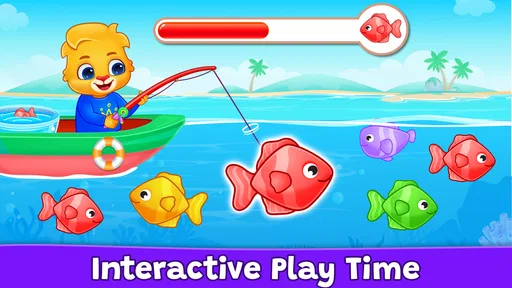
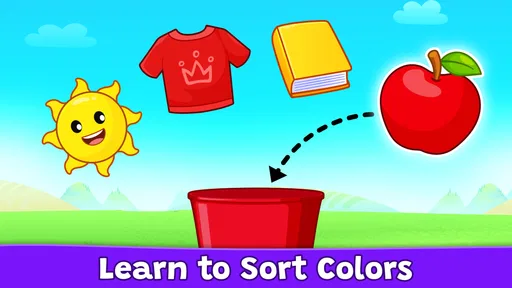
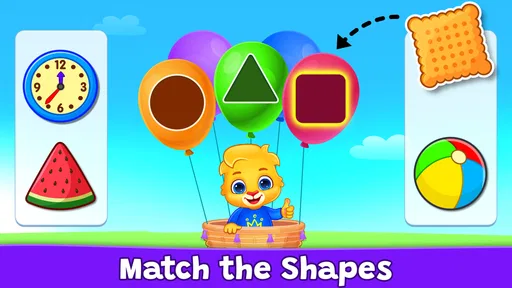
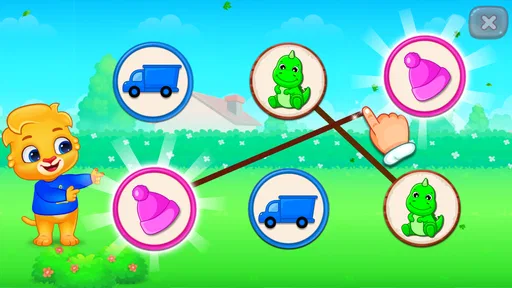
The different game modes also help prevent the experience from feeling like one repeated coloring page. They give the child more than one way to interact with the same basic learning themes. In practice, I would switch modes when attention starts to fade rather than insisting that a child finish a long session in one format.
One useful routine is to begin with the mode the child already understands, then introduce another after completing a picture. This creates a natural transition: first the child gets a familiar success, then there is a small change of pace. I found that more effective than presenting every option at once and expecting the child to choose intelligently.
The app is also suitable for short independent play, but “independent” should not mean “unsupervised for a long time.” A child may complete an activity correctly without being able to explain the difference between the colors or shapes. If learning is the goal, occasional questions from an adult make the progress signal more meaningful.
Small signs that a child is ready for more
One practical way to judge progress is to watch what the child does before touching the screen. If the child begins naming a color, predicting the shape, or correcting a choice without help, the app is becoming a reinforcement tool rather than a simple distraction. I would then connect the screen activity to objects nearby, such as asking the child to locate a circle or identify something blue.
Another useful sign is whether the child can move between modes without needing the same explanation each time. That suggests the child is learning the interaction pattern, not merely copying an adult’s gestures. It also helps parents decide when to reduce assistance and allow more self-directed play.
On the other hand, quickly completing pictures does not automatically mean the child has mastered the concepts. Some children are good at following visual cues while still struggling to name colors or shapes outside the app. That is why I would treat completion as a motivation signal, not as a formal assessment.
Difficulty and pacing: gentle by design
The difficulty feels deliberately mild, which is appropriate for the intended audience. The app’s main challenge is attention and recognition, not speed, strategy, or complex problem solving. That makes it accessible, but it also means older children may outgrow the challenge quickly if they are looking for a game with increasingly demanding puzzles.
For a younger child, gentle pacing can be a major advantage. There is room to repeat an activity, try again, and enjoy the visual result without the pressure of a countdown. This is particularly helpful for children who are easily discouraged by fast educational games. The experience encourages participation first, accuracy second.
The trade-off is that parents should not expect a strong difficulty curve in the traditional gaming sense. The app may hold attention through variety and colorful completion, but it is not designed around advanced levels that demand new strategies. If your child wants increasingly difficult challenges, a dedicated puzzle or early-learning curriculum app may eventually be a better fit.
I would also avoid using the app as a reward that must be earned through perfect performance. Its gentle structure works better when the child can explore without feeling that every mistake has consequences. A calm five-minute session can be more productive than a longer session where the child is pushed to continue after interest has disappeared.
For travel, the pacing is convenient. A child can complete a small activity during a short wait, then stop without losing the point of the session. That makes it more practical than games built around long stories or extended levels. It is also easier for an adult to set a clear boundary: finish one picture, talk about it, and put the device away.
Where the challenge may feel too light
Children who already know their basic colors and shapes may find the learning value limited. The app can still offer creative play, but its educational challenge is likely to be strongest during the stage when recognition is developing. I would choose it for a beginner rather than for a child seeking advanced drawing tools or academic progression.
There is also a difference between visual variety and genuine complexity. Changing the picture or mode can refresh attention, but it does not necessarily create a deeper challenge. Parents should look at the child’s behavior rather than assuming that continued tapping equals continued learning. If the child is repeating actions mechanically, it may be time to add a real-world activity or move to a more demanding app.
That limitation is not a flaw in the intended design. It simply defines the right use case. This is a gentle learning companion, not a long-term mastery system. Knowing that before installing it helps prevent disappointment.
Does it keep children coming back?
The retention appeal comes from the immediate pleasure of coloring and completing images, along with the chance to try different modes. For a young child, that can be enough to encourage another short session. The experience does not need complicated rewards to feel satisfying because the visual result is already a reward.
From a parent’s perspective, that is preferable to an app that constantly demands attention through noise or pressure. A child can return because the activity is enjoyable, not because the game is pushing an elaborate chain of obligations. I found that healthier for occasional use, especially when the goal is to support learning rather than maximize screen time.
Still, the same simplicity can limit long-term retention. Once a child has seen the available patterns many times, the novelty may fade. The best way to extend its usefulness is to change the conversation around each session. One day, focus on naming colors; another day, ask the child to compare shapes; later, use a completed image as inspiration for drawing on paper.
A realistic everyday scenario would be a parent preparing dinner while a preschooler sits nearby. I would start one activity, explain the first interaction, and return after a few minutes to ask what the child colored and which shapes appeared. That turns the app into a contained activity with a beginning and an end, rather than an open-ended screen habit.
For classrooms or playgroups, it could work as a rotation activity, but I would not expect it to replace teacher-led instruction. A group of children may have different abilities, and the app’s gentle challenge may be too easy for some while others still need one-to-one guidance. Its strongest setting is a quiet individual session where the child can work at a comfortable pace.
What parents should decide before installing
The game is free, which makes it easy to try without committing to a purchase. It is available for devices running Android 6.0 or later, so compatibility is worth checking before handing the device to a child. The app has reached over ten million installs and holds a 4.5 average from around twenty-one thousand ratings, which suggests that many families have found the basic concept useful.
Those figures do not decide whether it suits your child, though. The more important questions are whether your child enjoys coloring, whether basic color and shape practice is relevant right now, and whether you want a calm activity rather than a competitive game. If the answer to those questions is yes, the app is easy to justify as a small addition to a child’s learning routine.
I would skip it if you need detailed progress reports, a carefully sequenced academic program, or substantial creative control over drawings. I would also look elsewhere for a child who is already comfortable with these concepts and needs reading, counting, logic, or open-ended art practice. The simple design is its strength for beginners, but it is also the reason it will not satisfy every age group.
Because it is rated Everyone, it is positioned for broad family use. Even so, I recommend that adults preview the experience and decide how it fits into their own screen rules. Age ratings describe suitability, not whether an app should be used for ten minutes or an hour. A parent’s routine remains more important than the label.
My progression verdict
After reviewing the way goals, completion feedback, difficulty, and replay value work together, I see Colors & Shapes: Coloring game as a focused early-learning game with a clear purpose. It gives children immediate goals, shows progress through finished coloring activities, and keeps the difficulty gentle enough for beginners. The pacing is comfortable, but it does not build toward the kind of demanding challenge that older children may expect.
My favorite use is as a bridge between digital play and real-world learning. A child can complete a picture, name what appeared, and then look for the same colors and shapes away from the screen. That workflow adds depth without pretending the app is a complete educational course. It also gives parents a simple way to turn a short game session into conversation and practice.
RV AppStudios has kept the central idea easy to understand, and I think that is why the experience feels approachable. The app is free, the subject is familiar, and the modes offer enough variation for repeated short visits. Its limitations are equally clear: the challenge is light, the progression is not meant for advanced players, and children may need an adult to connect recognition with real understanding.
For families seeking a first educational coloring game for a young child, I would recommend giving it a try. I would present it as a brief activity, not as a substitute for crayons, books, conversation, or hands-on play. Used that way, it offers a pleasant introduction to colors and shapes and gives children a satisfying sense of completion without unnecessary pressure.
Pros
- Simple controls make it easy for young children to use independently.
- Bright visuals and cheerful sounds help keep short play sessions engaging.
- Coloring activities can support basic shape and color recognition.
- Works well as a quiet activity for travel or waiting rooms.
- Progressive challenges offer variety beyond simple free coloring.
Cons
- Some content may be too easy for older children.
- Sound effects can become repetitive during longer sessions.
- Certain features or pages may require in-app purchases.
- Limited customization may disappoint children wanting more creative tools.
- Parents should check advertising and privacy settings before use.
FAQs for Colors & Shapes: Coloring game
What is Colors & Shapes: Coloring game?
Colors & Shapes: Coloring game is a relaxing educational app designed mainly for children who enjoy coloring and simple creative activities. It typically combines outlined pictures, colors, shapes, and easy touch controls so children can fill illustrations without needing advanced drawing skills. The app can provide an entertaining way to practice color recognition, hand-eye coordination, concentration, and basic shape awareness while creating colorful pictures.
Is Colors & Shapes: Coloring game suitable for children?
Yes, the game is intended primarily for young children and beginners. Its simple interface and tap-based coloring mechanics make it easy to understand, even for users who are not familiar with drawing applications. Parents should still review the app’s age rating, privacy information, advertisements, and any available parental controls before allowing independent use, especially if the device is shared or connected to an app store payment account.
Does the game require an internet connection?
The basic coloring activities may work without a continuous internet connection, which makes the app convenient for travel, waiting rooms, or other offline situations. However, some features could depend on connectivity, including advertisements, additional picture downloads, updates, analytics, or links to other content. It is best to open the game once while online and check which coloring pages and functions remain available after switching to airplane mode.
Are there advertisements or in-app purchases in Colors & Shapes: Coloring game?
Depending on the version and platform, Colors & Shapes: Coloring game may include advertisements, optional purchases, or locked content. These elements can vary after updates, so parents should check the current Google Play or App Store listing before downloading. If children use the app, enabling device-level purchase restrictions and reviewing ad settings is recommended to prevent accidental purchases or exposure to unsuitable promotional material.
What are the main benefits and limitations of the app?
The main benefits are its accessible coloring controls, child-friendly creative focus, and potential to support color recognition, attention, and fine motor practice through enjoyable repetition. It is better suited to casual coloring than to professional digital art because the tools and customization options may be limited. Families should also consider screen-time limits, advertising, available artwork, and privacy permissions when deciding whether it fits their needs.


